Free
Alt Text Report
IncludePress reads the HTML a logged-out visitor receives and lists images that need a name. An empty alternative text is a choice. A missing one is a gap.
Decorative and informative
Decorative images use alt="". A spacer, a repeated icon, or a picture that sits beside text which already says the same thing can be empty on purpose. That empty value passes the missing-alternative-text check.
An informative image describes something the reader needs: a chart, a product, or a photo that is the point of the sentence. If that image has no alt attribute at all, the report flags it.
A link or a button whose only content is an image with an empty or missing alternative text has no name. The report flags that control, because the reader cannot tell where it goes.
What the free report flags
- An image with no alternative text attribute
- A link or button whose only content is an unnamed image
- Alternative text that is a file name, the word image or photo, or longer than 150 characters
- An image button with no alternative text
- An SVG icon with no accessible name, unless it is hidden
The local fixture includes an image with no alternative text, a linked logo with an empty alternative text, the text IMG_4032.jpg, an SVG icon with no name, and a decorative image with alt="". That decorative image is not flagged. The fixture page is not published on this site.
The Images screen
These screenshots are from a local WordPress admin. The marketing site does not run the scanner.
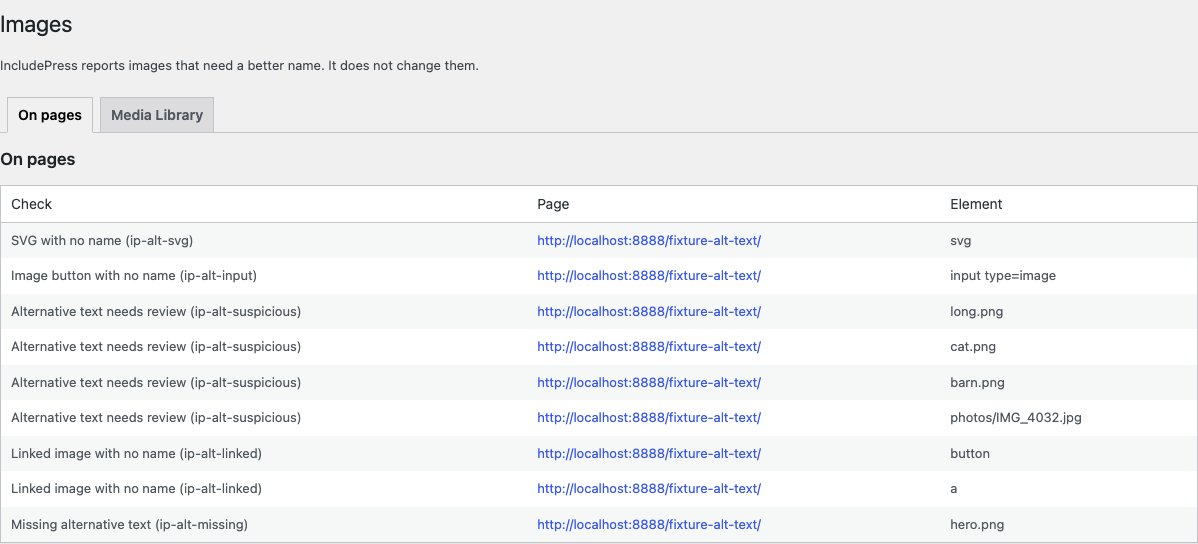
On pages lists each finding with the check, the page URL, and the element. This table does not edit the text. The link on the Media Library tab is Edit in Media Library.
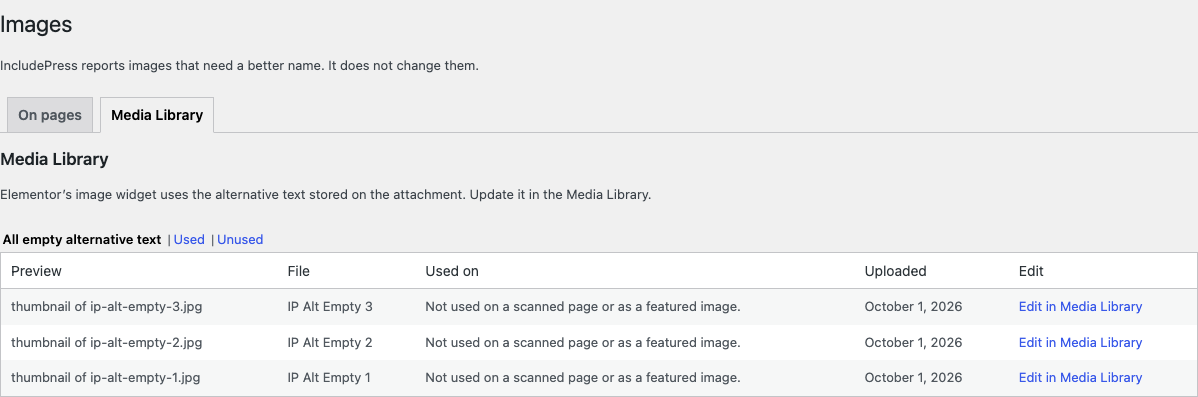
Media Library lists image attachments whose alternative text is empty. Used on comes from scan findings and from featured images. Elementor’s image widget uses the alternative text stored on the attachment, so that text is updated in the Media Library.
Limitation. The free report finds problems. Writing alt text with AI is in IncludePress Pro.